Adding Team Blocks
-
Log in to ZebraWeb.
-
Enter the Sport-Specific Portal where you need to add blocks.
-
Click ZebraWeb Assigning.

-
In the black header, hover over Availability.
-
In the yellow submenu, click Team Blocks.

-
Click Add Team Block in the upper-right corner.

-
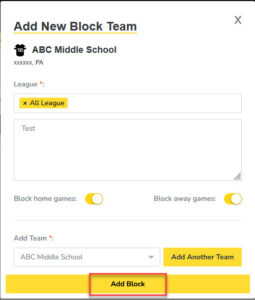
Select the School from the dropdown menu.
-
Choose the Leagues/Levels you want to block.
-
Enter a reason for the block.
-
Choose whether you are blocking Home Games, Away Games, or toggle both to block all.
-
Click Add Block.